Toyota service & travel
Preparing Your Toyota for Holiday Traffic and Changing Road Conditions
Before a holiday road trip, start with your Toyota's tires, visibility, maintenance needs, and the load you plan to carry. Check cold tire pressure against the vehicle's label, look for tire damage, and make sure the lights and wipers work. If you have a warning light, a starting problem, or a change in how the vehicle drives, arrange an inspection before departure.
The best time to deal with a streaking wiper or a tire that keeps losing air is before the luggage goes in. Give yourself room to handle anything that needs attention, whether you are leaving Panama City for a long interstate drive or spending a holiday weekend along the coast.
A pre-trip check is a review of your vehicle's condition for the drive ahead. It complements the maintenance schedule in your owner's manual; it does not replace scheduled service or guarantee that nothing will go wrong.
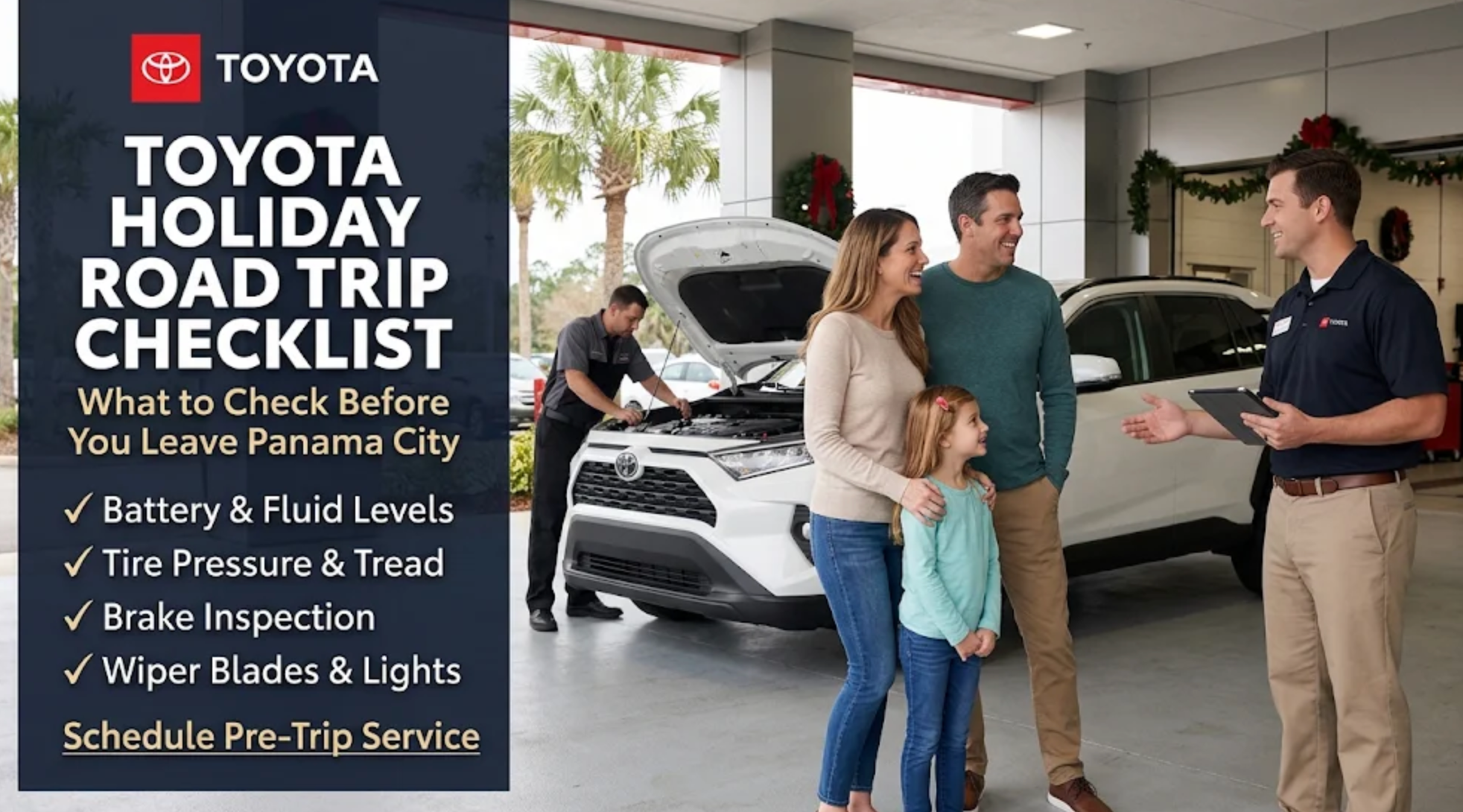
Your Toyota Holiday Road Trip Checklist
| Check | What you can do | When to ask for help |
|---|---|---|
| Tires | Check cold pressure against the vehicle label; look for wear or damage | A tire loses pressure repeatedly, looks damaged, or has uneven or worn tread |
| Wipers and lights | Test the wipers, washer spray, headlights, brake lights, and turn signals | Wipers streak, a light fails, or visibility is poor |
| Maintenance and fluids | Review service history and the checks in your owner's manual | Service is due, a leak appears, or you are unsure what needs checking |
| 12-volt battery | Pay attention to starting trouble or electrical symptoms | Starting is slow, unreliable, or different from normal |
| Passengers and cargo | Check the load allowance and secure what you carry | You are near a limit or adding a trailer or roof carrier |
| Route and supplies | Check traffic and weather; pack essentials where you can reach them | The route forecast requires different equipment or a change of plans |
You do not have to diagnose a problem yourself. A useful description is enough: which light came on, when the noise happens, or whether the vibration appears at a particular speed. Share those details when you request service.
Start With Tire Pressure and Condition
NHTSA recommends checking tire pressure when the tires are cold, meaning the vehicle has not been driven for at least three hours. Use the pressure specified on your Toyota's Tire and Loading Information label or in its owner's manual, rather than the number on the tire sidewall. Include the spare if your vehicle has one.
Check tread and look for cuts, bulges, or uneven wear as well. NHTSA says tires should be replaced when tread is worn to 2/32 of an inch. If you are unsure about the tread or condition, have it measured and inspected before a long drive.
A tire-pressure warning light is a reason to check, not a substitute for a gauge. If a tire keeps losing pressure after adjustment, have the cause evaluated rather than repeatedly topping it up and leaving the problem for the trip.
For ongoing care, review the Toyota tire rotation guide alongside your model's maintenance schedule. A rotation and an inspection serve different purposes; rotating tires does not correct existing damage.
Check Visibility, Starting, and Upcoming Service
Try the wipers before the forecast turns wet
Test the washer spray and watch how the blades clear the glass. If they leave streaks or missed areas, address that before the trip. Check exterior lights too, especially if part of your drive will be after dark.
Bring up starting problems and overdue maintenance
If starting has become slow or unreliable, request a battery and starting-system check. Describe what happens instead of assuming the battery is the only possible cause. An inspection can help establish the next step.
Review the service history before adding a long drive to the odometer. Follow the fluid-checking instructions for your exact Toyota and leave unfamiliar checks to a technician. A reservoir that needs attention or a visible leak deserves an explanation, rather than an automatic top-up and a guess.
Panama City Toyota lists tire service, battery service, and multi-point inspections among its Toyota service options. When you request an appointment, explain that you are preparing for a trip and ask what the visit will include. Timing depends on the work and appointment availability.
Count the People Along With the Holiday Gear
A vehicle can have room for another suitcase while being close to its weight limit. Check the occupant-and-cargo allowance on its label, then account for passengers, bags, gifts, coolers, and equipment. Secure cargo so it cannot shift during the drive.
A roof carrier has its own limits, and a trailer introduces additional checks. Follow your vehicle and accessory instructions. If you tow, use the complete loaded trailer weight and account for the load it transfers to the hitch; do not choose the setup from an empty-trailer figure or a model-line towing maximum.
Picture the vehicle as it will actually leave your driveway. The full family, the cooler, and the last few bags all belong in the calculation. If you are close to a limit, revise the packing plan before departure.
Plan the Route Around the Trip You Are Taking
For an interstate trip, think through the full route, including the roads connecting Panama City to I-10 and the stops you will need along the way. For a shorter drive on US-98 or toward 30A, leave room in your schedule for changing conditions instead of relying only on distance.
Check Florida’s official FL511 traffic information before you leave and review updates while safely parked. Check the forecast for your destination as well as home. If you are heading north, prepare for the conditions expected there, even when the weather in Bay County feels mild.
Plan fuel or charging stops, breaks, and an arrival time that does not depend on driving while tired. For an electric Toyota or plug-in hybrid, confirm the charging arrangements relevant to your route and vehicle. Set navigation before driving, or let a passenger manage updates.
Keep Roadside Essentials Within Reach
- A phone charger or charged power bank.
- A flashlight and first-aid supplies.
- Drinking water, snacks, and a blanket appropriate to your route.
- Reflective warning equipment and your roadside-assistance contact information.
- The spare or tire-repair equipment supplied with your vehicle, plus the instructions for using it.
Pack these where you can get to them without unloading every bag. Know what tire equipment your Toyota actually carries and what its limitations are. Having a kit does not mean you should attempt a repair in an unsafe roadside location.
Give Each Check a Place in Your Travel Schedule
Spread preparation across the days before departure instead of trying to do everything while the family is waiting to leave. Start with work that may require an appointment, then finish with checks that depend on the final packing plan and current road conditions.
When you first settle the travel dates, review upcoming maintenance and write down any symptoms. Request service if something needs evaluation, explaining when you plan to leave. An appointment request is not a guarantee that every possible repair can be completed before that date, so ask the team to confirm the arrangements.
Once you know what you will carry, review the passenger and cargo plan. Locate the spare or repair kit, check the instructions, and decide where roadside supplies will go. If you are adding a roof carrier or trailer, resolve the equipment and loading questions before the final evening of packing.
On departure day, confirm the cold tire-pressure check, check current traffic and destination weather, and make sure essentials are accessible. This final review is meant to catch changes, not replace the earlier inspection. A concern discovered at that point may require delaying the trip rather than assuming that leaving on schedule is the only option.
Write Down Symptoms So the Service Visit Is Useful
A clear description can help the service team understand what needs evaluation. Record what happens, when it happens, and whether it has changed. “The vehicle vibrates at highway speed” gives more context than “please check everything,” especially if the symptom is intermittent.
For a warning light, identify the symbol using the owner's manual and note whether it stays on or appears under particular conditions. Follow the manual's instructions about what to do. Do not keep driving simply because a service appointment is scheduled; some warnings require a more immediate response.
For a noise or starting concern, note whether it happens after the vehicle sits, during startup, while braking, or on a particular type of road. Share recent work and any change in use, such as towing or a longer commute. These observations do not diagnose the cause, but they give the technician a better starting point.
Ask what the inspection found and which recommendations affect the travel plan. If work is needed, discuss timing and the next step before assuming the vehicle is ready. A completed inspection and a completed repair are different things. Keep the service record so you know what was checked and what remains to be addressed.
Make the Passenger Area Work for the Whole Trip
Pack with the occupied seats in their travel positions. If the third row will carry people, leave it upright while you evaluate luggage space. Folding a seat to make everything fit is not a solution if a passenger needs that seating position.
Keep seat belts and approved child-restraint installations usable. Follow the vehicle and restraint instructions rather than placing bags where they interfere with the setup. If you are uncertain about an installation, resolve it with qualified assistance before departure instead of making changes under time pressure at the first stop.
Decide where frequently needed items will go: water, a phone charger, medications, and the information you would use to request assistance. Keep appropriate items accessible without allowing loose objects to interfere with driving. If the driver needs something from the cargo area, plan to stop rather than reaching for it on the road.
For a full family vehicle, try the packing arrangement before travel morning. An awkward cooler, stroller, or oversized gift may be easier to repack while you still have time to choose another container or leave an item behind. A practical arrangement protects seating and visibility as well as staying within the vehicle's load limits.
Prepare for the Destination, Not Just Panama City
Check the forecast across the route, including the return trip. A mild afternoon at home does not describe the weather where you will spend the night or the conditions expected after a front passes. If the trip extends beyond Florida, use the relevant state transportation information as well as local forecasts.
Ask whether your vehicle, tires, washer fluid, and travel supplies are appropriate for the conditions you may encounter. Follow model-specific instructions and qualified service guidance rather than assuming a Florida routine covers every destination. If conditions exceed your preparation or experience, consider changing the timing or route.
For fuel planning, choose stops with enough flexibility that a closure or detour does not leave you depending on one location. For an electric vehicle, confirm compatible charging access, current station information, and an alternative. If you are staying with relatives or at a hotel, ask about actual charging arrangements instead of assuming an outlet or listing guarantees suitable access.
Keep weather decisions separate from the vehicle's drivetrain or assistance features. AWD, 4WD, and driver-assistance systems do not make every road condition manageable. The useful question is whether the trip, equipment, and conditions fit together, not whether a familiar badge sounds reassuring.
Build Breaks Into the Arrival Time
Choose an arrival plan that includes normal stops rather than treating every break as a delay to recover. Food, restrooms, fuel or charging, and time away from the driver's seat are part of the trip. A schedule that works only with uninterrupted driving is fragile before traffic or weather enters the picture.
Discuss driving responsibilities before you leave. If more than one person will drive, make sure each person is comfortable with the vehicle's controls and the conditions ahead. If there is only one driver, do not build the schedule around having someone else take over later.
Use traffic updates while safely parked, or have a passenger manage information without distracting the driver. If a closure changes your route, review the alternative and needed stops before continuing. A shorter estimated route is not automatically preferable if it creates an unsuitable driving or charging plan.
If you are too tired to drive attentively, stop and change the plan. Cruise control and other assistance features do not replace alertness. Protecting the departure time is less important than arriving with a vehicle and driver ready for the remaining distance.
Know How You Would Request Roadside Help
Find the contact information for any roadside assistance available through your vehicle coverage, insurance, membership, or other plan. Check eligibility, coverage dates, exclusions, and how to request help. Do not assume that every new or used Toyota has identical benefits or that all towing destinations and distances are covered.
Save the information somewhere you can reach without searching through packed luggage. Know which vehicle details the service may ask for and how you would describe your location. A charged phone is helpful, but the number and plan details should also be available if an app is not working.
Review your Toyota's instructions for a flat tire, loss of power, or other roadside concern before travel. Different vehicles may have different spare-tire, repair-kit, jump-starting, or towing procedures. Do not improvise work on unfamiliar equipment or assume instructions for another model apply.
If a problem develops, prioritize your surroundings and follow the appropriate emergency and vehicle guidance. A shoulder can expose you to moving traffic, and having tools does not make it an appropriate place to use them. Request qualified help when needed rather than treating a packed emergency kit as a reason to attempt every repair yourself.
Leave Room for the Return Journey
The drive home can differ from the drive out. You may have additional luggage, different passengers, or a changed forecast. Recheck the packing and route plan instead of assuming the outbound arrangements still describe the vehicle.
Pay attention to anything that changed during the trip. A new vibration, a repeated pressure warning, a fluid-related concern, or a starting problem deserves evaluation. Being close to home or eager to finish the holiday does not establish that a symptom can wait until afterward.
Keep receipts and service information together if the vehicle needs attention away from Panama City. Describe what happened and what work was completed when following up with the service team. A good record helps you continue the vehicle's maintenance plan after the holiday, rather than starting the next visit from memory.
When Is a Service Visit the Better Choice?
A home checklist helps you notice concerns, but it cannot determine the cause of every warning light, noise, or vibration. If your Toyota starts poorly, loses tire pressure repeatedly, or feels different under braking or steering, have the concern assessed before the trip. Arrange the visit early enough to allow for recommended work rather than assuming an inspection will be the only step.
When you request a Toyota service appointment, include your departure date, mileage, and what you have noticed. Mention a trailer, heavy cargo, or a colder destination. That gives the team a clearer picture of the drive you are preparing for.
Key Takeaways
- Check cold tire pressure using the vehicle label or manual, and inspect tire condition.
- Test wipers and lights before you need them on the road.
- Address symptoms and upcoming maintenance before departure.
- Count passengers, cargo, accessories, and applicable hitch load against the correct limits.
- Review traffic and destination weather, plan breaks, and keep essentials accessible.
Frequently Asked Questions
How far ahead of a holiday trip should I have my Toyota checked?
Arrange service early enough to leave time for any recommended work before departure. When you request the appointment, share your travel date, mileage, and any symptoms. Confirm the appointment and expected timing with the service team.
Should I use the tire pressure printed on the tire sidewall?
Use the vehicle manufacturer's recommended cold tire pressure on the Tire and Loading Information label or in your owner's manual. The number on the tire sidewall is not the vehicle's recommended inflation setting.
Does a pre-trip inspection replace regular Toyota maintenance?
No. A pre-trip inspection focuses on current condition and travel concerns. Continue following the maintenance schedule for your exact model, year, mileage, and driving conditions.
What should I tell Panama City Toyota when requesting service?
Share your departure date, vehicle year and model, current mileage, recent service history, and any warning lights, noises, vibration, leaks, or starting problems. Mention towing, heavy cargo, or colder destinations so the team understands how you plan to use the vehicle.
Get Your Toyota Ready for the Drive
Preparing for holiday travel? Request service at Panama City Toyota and tell us your departure date and any concerns. The team can confirm the appointment, discuss the checks you need, and explain recommended work before you travel.
Related Toyota Insights & Updates
Tire care
Toyota Tire Rotation Schedule for Panama City Drivers
Understand how to plan tire rotations and when uneven wear deserves attention.
Read MoreCabin comfort
Toyota Cabin and Engine Air Filter Service
Learn the difference between the two filters and what to ask about airflow concerns.
Read MoreSafety & technology
Toyota Safety Sense: What the Current System Includes
Get familiar with driver-assistance features and their operating limitations.
Read More